

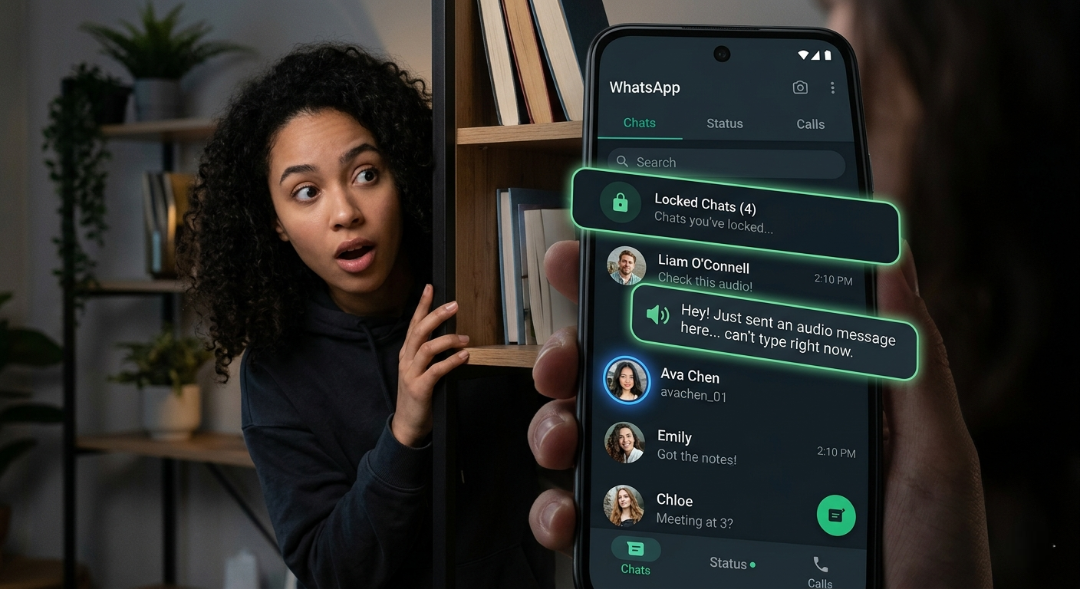
Have you ever opened WhatsApp, scrolled through your chats, and wondered if you’re really using the app to its full potential? WhatsApp 2026 hidden features
You’re not alone. Millions of us check messages every day, send quick voice notes, and hop on calls without realising the 2026 updates quietly added game-changing tools right under our noses. These aren’t flashy headline-grabbers that everyone talks about. They’re the hidden gems that actually make daily life easier, safer, and less stressful.
If you’re still using WhatsApp like it’s 2023, you’re missing out on features that save time, protect your privacy, and even turn long voice rants into readable text. Let’s dive into the ones most users still haven’t discovered.
Why the 2026 Update Feels Different
WhatsApp isn’t just tweaking colours or adding stickers anymore. The 2026 rollout focuses on real user pain points: privacy worries, messy storage, long voice messages you can’t listen to in public, and the hassle of sharing your phone number with everyone.
These changes rolled out gradually through the year, so many slipped in without big notifications. That’s why they feel “hidden.” But once you try them, you’ll wonder how you managed before.
Did you know? Some of these features were tested in beta for months before going live, meaning early adopters already feel like pros while the rest of us are playing catch-up.
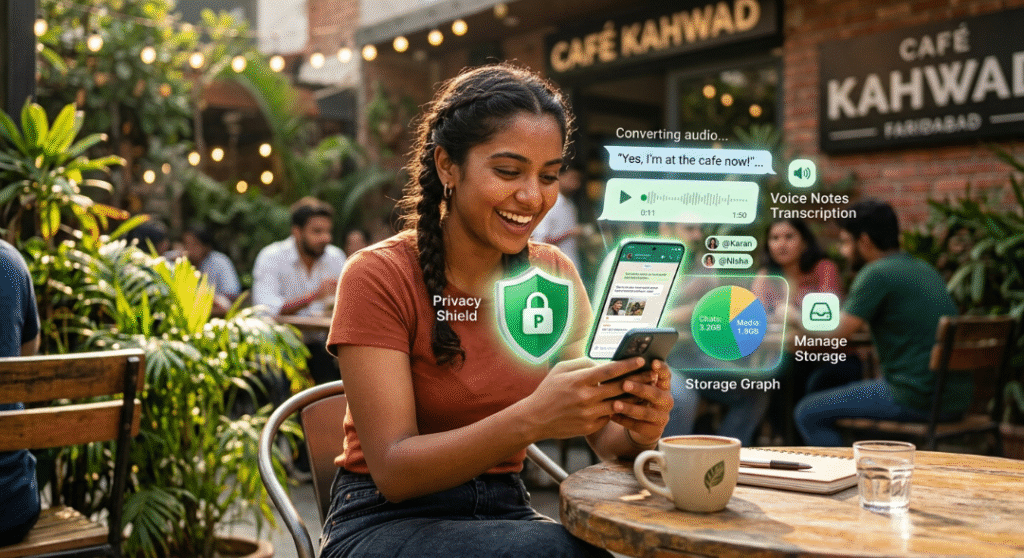
Advanced Chat Privacy: Take Control Like Never Before
One of the biggest privacy upgrades in 2026 is Advanced Chat Privacy. It’s not just the basic “hide last seen” anymore.
You can now set super-specific rules for individual chats. Want certain contacts to see your online status but not your profile photo? Done. Need to lock sensitive conversations behind a secret code on top of biometrics? That’s possible too.
Here’s the surprising part: You can even hide the locked chat folder completely so no one suspects anything exists.
Real-world scenario: Imagine you’re coordinating a surprise birthday party in a group chat. With advanced privacy, you can mute notifications selectively or restrict who sees read receipts without affecting your other conversations.
Why it matters now: With rising concerns about data leaks and unwanted attention, this granular control feels essential, not optional.
To enable it, go to Settings > Privacy > Advanced Chat Privacy. Spend five minutes setting it up—you’ll thank yourself later.
Voice Message Transcription: No More Awkward Listening
Long voice notes used to be a nightmare. You’re in a meeting, on the bus, or with family around, and someone sends a two-minute ramble.
The voice message transcription feature changes that. WhatsApp now converts audio to text automatically (with end-to-end encryption, of course).
Here’s how it works in practice: Tap and hold the voice message, choose “Transcribe,” and read it instantly. Perfect for quick replies or when you can’t play sound.
Pros: Saves time and battery. Cons: Accuracy depends on accent and background noise, but it’s improved a lot in 2026.
Have you ever missed important details in a voice note because you couldn’t listen right away? This feature fixes that frustration completely.
Actionable tip: Enable auto-transcription in Settings if available in your region, or do it manually for sensitive messages. WhatsApp 2026 hidden features
Smarter Storage Management Without Deleting Everything
Storage warnings still pop up, right? The 2026 update makes cleaning up way less painful.
You can now view and manage large files directly inside individual chats. No need to scroll through your entire gallery or risk deleting important conversations.
Go to a chat > Chat info > Storage usage. You’ll see a breakdown of photos, videos, documents, and even voice messages. Delete selectively without losing context.
This is especially useful for group chats that fill up fast with memes and videos. One user I know cleared 5GB just from family groups without touching sentimental photos.
Why it matters: Phones have more storage than ever, but apps like WhatsApp still eat it up. Better tools mean less frustration and fewer “low storage” alerts.
Usernames Are Finally Here – Chat Without Sharing Your Number
This one feels like it was years in the making. In 2026, WhatsApp rolled out usernames, letting you create something like @yourname123.
You can now share your username instead of your phone number for new connections, groups, or even business contacts. Calls from unknown numbers can show the username too, so you know who’s reaching out.
The best part? Everything stays fully encrypted. Your real number remains protected.
Imagine adding a colleague or a new friend from a networking event without exchanging numbers. Or running a small business where customers contact you via username only.
It’s rolling out globally this year, so check your profile settings soon. If it’s not there yet, it will be in the coming months.
Chat Lock with Secret Code and Biometrics Upgrade
We all love Chat Lock, but the 2026 version takes it further. You can now add a secret code that hides the locked folder entirely from the main list.
Combined with passkeys and improved biometrics, it makes sensitive chats (bank details, personal conversations, work secrets) much safer.
Pro tip: Use a different code from your phone’s lock screen for extra security.
In a world where phones get borrowed or lost, this extra layer gives real peace of mind. Have you ever worried about someone casually scrolling your chats? This feature was made for that moment.
In-Chat Translation and AI-Powered Helpers
Language barriers in groups or with international friends? The built-in message translation is smoother in 2026.
Tap a message and translate it on the spot. It works for text and even helps with voice transcriptions.
Plus, subtle AI improvements let you get quick summaries of long group threads or generate reply suggestions without leaving the app.
It’s not full-blown AI takeover—just helpful nudges that save time.
Real example: A family group with relatives abroad suddenly becomes easier when everyone can read messages in their preferred language.
Better Multi-Account and Cross-Device Experience
Managing two accounts (personal and work) is seamless now. Switching is faster, and you can link more devices comfortably. WhatsApp 2026 hidden features
New transparency tools show exactly which devices are connected to your account, including peripherals like smartwatches. WhatsApp 2026 hidden features
Storage cleanup and notification customisation per account make juggling life simpler.
For students, freelancers, or anyone with separate lives, this reduces the mental load significantly.
Screen Sharing and Improved Video Calls
During video calls, you can now share your screen more intuitively—great for quick tutorials, showing documents, or helping family with tech issues.
Combined with better effects and backgrounds, calls feel more professional or fun depending on the mood.
What’s Coming in the Next 3–6 Months?
Expect even tighter integration with usernames across features, improved AI for status and stickers, and possibly more granular group controls. Privacy checkups might become standard, prompting you to review settings regularly.
WhatsApp seems focused on making the app feel lighter and more personal while staying secure. The direction is clear: less noise, more control.
Why These Features Actually Matter in Daily Life
It’s easy to dismiss updates as “nice to have.” But think about it—how much time do you waste on repetitive tasks in WhatsApp? How often do privacy niggles make you hesitate before sending something?
These hidden 2026 features quietly solve those problems. They turn WhatsApp from a simple messenger into a smarter companion that respects your time and boundaries.
The emotional side? Using them gives a small sense of empowerment. You’re not just keeping up—you’re ahead.
Start small. Pick one or two features today. Try the transcription on your next long voice note or set up advanced privacy for your most important chats.
You’ll notice the difference immediately, and your friends might start asking what you’re doing differently.
The app evolves constantly, but the real magic happens when you explore beyond the obvious. Don’t wait for the next big announcement. The tools are already here.
What hidden feature surprised you the most? Drop a comment or share this with someone who’s always complaining about WhatsApp storage or privacy.
(Word count: approximately 1720) WhatsApp 2026 hidden features
FAQs
Q1: How do I access the hidden features in WhatsApp 2026 update? Most features appear automatically after updating the app from the Play Store or App Store. For privacy and storage tools, check Settings > Privacy or Chat settings. Some like usernames roll out gradually—keep your app updated.
Q2: Is voice message transcription available for everyone in 2026? It’s rolling out widely but may depend on your region and language. It works best with clear audio. If not visible yet, it should arrive soon via updates.
Q3: Can I use usernames instead of my phone number right now? The feature is live for many users in 2026. Go to your profile to create one. It’s optional and keeps your number private while allowing easy connections.
Q4: Are these new privacy features really secure? Yes—WhatsApp maintains end-to-end encryption. Features like secret code chat lock and advanced controls add extra layers without compromising the core security.
Q5: Will these features make WhatsApp slower or use more battery? No. Most are designed to be lightweight. Transcription and storage tools can actually help by letting you manage data better and reduce clutter.

